
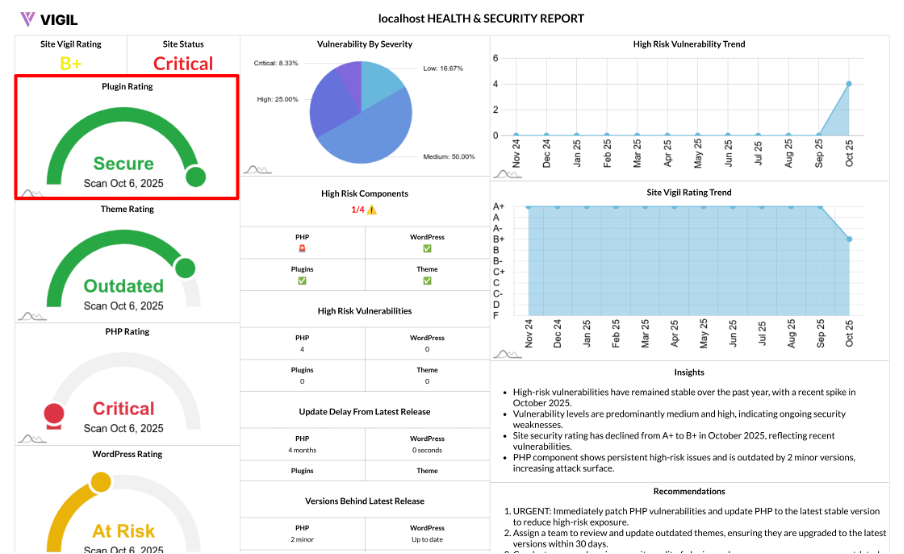
Plugins Rating: Your WordPress Plugins’ Security and Hygiene, Simplified
Plugins are often the most common source of risk in a WordPress site. The Plugins Rating simplifies plugin security and update hygiene into a single, actionable score that you can act on quickly and efficiently.
What the Plugins Rating Measures
The Plugins Rating provides a 1–6 score based on:
- Known vulnerabilities in your active plugins (Critical, High, Medium, Low)
- Whether any active plugin is outdated compared to the latest available version
How We Calculate the Score
We analyze all active plugins and total the issues by severity. If vulnerabilities are found, the score is determined by the worst severity:
- Critical → 1
- High → 2
- Medium → 3
- Low/None but risk flags present → 4
If no vulnerabilities are found, we then check the update status of your active plugins:
- Any plugin behind the latest version → 5 (Outdated)
- All active plugins up to date (or unknown states resolved) → 6 (Secure)
In short: known CVEs lower your score, while being fully up to date earns you the highest rating.
Score Meanings at a Glance
Here’s what each Plugins Rating score means:
- 6 — Secure: No known plugin vulnerabilities; all active plugins are current.
- 5 — Outdated: No CVEs detected, but one or more active plugins are behind the latest version.
- 4 — At Risk: Low severity issues detected in plugins.
- 3 — At Risk: Medium severity vulnerabilities present in plugins.
- 2 — Vulnerable: High severity vulnerabilities detected in plugins.
- 1 — Critical: Critical vulnerabilities present in plugins; patch immediately.
Why Plugin Health Matters Most
Your plugins are a crucial part of your WordPress site’s security, and here's why they matter:
- Attack Surface: Plugins can dramatically expand site functionality, but they also increase potential exposure to security risks.
- Exploit Targeting: Plugin CVEs (Common Vulnerability Exposures) are actively scanned by bots and attackers, making plugins a frequent target.
- Compatibility: Old plugin versions can break compatibility with WordPress core updates, theme updates, or new PHP versions, leading to site instability.
How to Improve Your Plugins Rating
To improve your Plugins Rating, follow these steps:
- Patch by Severity: Address plugins with Critical or High vulnerabilities first by either fixing them or replacing them with more secure alternatives.
- Update Actively: Keep all active plugins on the latest stable versions to minimize risk.
- Reduce Risk: Remove unused, abandoned, or unverified plugins, and prioritize reputable vendors to ensure long-term security.
- Standardize: Establish a monthly update window and an emergency patch process to ensure plugins are regularly maintained.
Real World Examples
Here are some real-world scenarios showing how the Plugins Rating works:
- Active plugin has 1 High vulnerability → Score 2 (Vulnerable)
- No plugin CVEs detected, but a few plugins are behind the latest version → Score 5 (Outdated)
- All active plugins have no known issues and are up to date → Score 6 (Secure)