
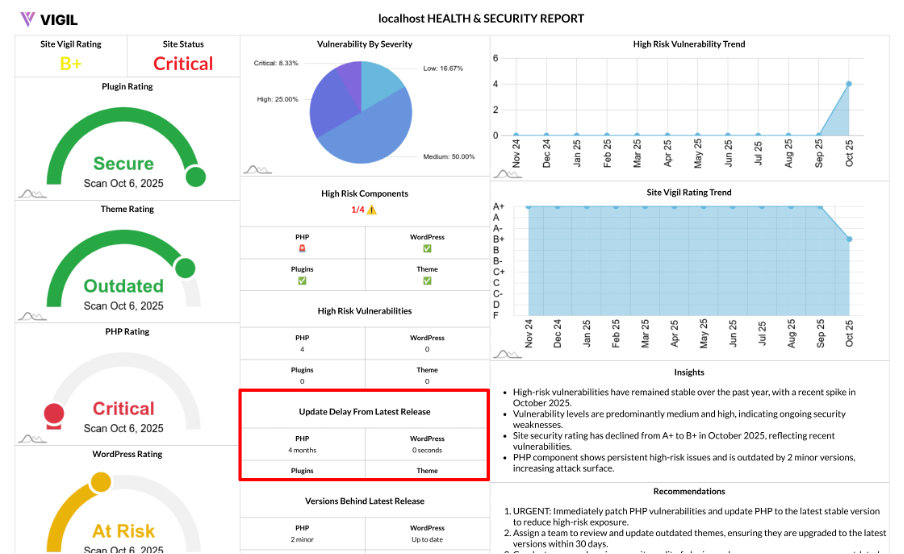
Update Delay from Latest Release: How We Measure “How Far Behind” You Are
Keeping your PHP, WordPress core, theme, and plugins up to date is one of the most impactful ways to reduce security risks. The Update Delay metric helps you quickly see how long each part of your stack has been behind its latest stable release, allowing you to prioritize updates with ease.
What “Update Delay” Shows
The Update Delay metric provides a lag indicator for the following components:
- PHP
- WordPress core
- Active theme
- Active plugins (aggregated)
It gives you simple counts that answer: How many releases or how much time are we behind?
How It Works
We analyze your current stack based on the latest scan and compare it with the latest stable release dates for each component:
- PHP version: We read your installed PHP version.
- WordPress version: We check your installed WordPress version.
- Active theme: We look at the active theme's slug/version.
- Active plugins: We gather all active plugin versions.
We then fetch each component's latest stable release date and calculate the delay by comparing your installed versions with the latest. The result is an easy-to-read summary for each component:
- PHP: Update delay count
- WordPress: Update delay count
- Themes: Update delay count
- Plugins: Update delay count
Behind the scenes, delay could be measured in days/weeks or counts of releases, depending on the component and available metadata. This normalized data lets you quickly spot where your stack is lagging.
Why Update Delay Matters
Update Delay is crucial because:
- Security Exposure Grows with Time: The longer you're behind on updates, the greater the window of opportunity for attackers to exploit known vulnerabilities.
- Dependency Breakage Risk: Newer WordPress and PHP versions often expect maintained themes and plugins, and being out of sync increases the risk of compatibility issues.
- Predictable Maintenance: By knowing how far behind you are, you can better prioritize your next update sprint.
How to Read It
Here’s how to interpret the Update Delay for each component:
- PHP:
- 0 → Up to date
- 1+ → Upgrade PHP in your next maintenance window.
- WordPress:
- 0 → Current
- 1+ → Update core (apply minor updates first, then plan for major updates).
- Themes:
- 0 → Current
- 1+ → Update the active theme or review changelog for breaking changes.
- Plugins:
- 0 → All current
- 1+ → At least one active plugin is behind (fix top priority plugins first).
Typical Scenarios
Here are some common scenarios you might encounter:
- All zeros: Excellent hygiene—keep your update cadence intact.
- High plugin delay, others OK: Focus on updating or replacing lagging plugins.
- PHP delay > 0: Plan an environment upgrade and verify compatibility in staging.
- WordPress delay > 0: Apply minor updates immediately and schedule major updates with testing.
How to Reduce Update Delay Quickly
To reduce Update Delay:
- Adopt a Monthly Update Window: Set aside time for regular updates, with emergency patch slots for urgent fixes.
- Auto-Apply Safe (Minor) Updates: Enable automatic minor updates for WordPress and trusted plugins to stay current.
- Remove Abandoned or Unmaintained Themes/Plugins: These components increase risk and can slow down your update process.
- Keep a Staging Site: Use a staging environment to test PHP and major core updates without risking downtime on your live site.